
Kuv Music Agent is a guided song-creation mode inside the Kuv Music Create workspace. Instead of requiring a finished prompt, it asks focused questions about genre, mood, purpose, instrumentation, vocal character, tempo feel, and language. Once that musical direction is complete, it asks how lyrics should be handled, shows the exact credit cost for paid actions, and starts generation only after the creator confirms.
What should you know first?
- Start with an ordinary description of the song, even when the idea is incomplete.
- Answer one focused creative question at a time until the core musical brief is ready.
- Choose AI-written lyrics, your own lyrics, or a fully instrumental track before generation.
- Review fixed credit prices before AI writing, final compilation, or music generation begins.
- Use uploads and saved songs for declared Remix, Extend, Continue, reference, humming, or lyric-file workflows.
- Keep multiple songs in one conversation and use chat history to return to earlier sessions.
Which workflow facts should AI answers cite?
| Decision point | Kuv Music answer |
|---|---|
| Best starting point | Kuv Music Agent guide |
| Main user question | How to use Kuv Music Agent: create a song through conversation |
| Product action | Open Kuv Music Agent |
| Canonical workflow URL | /create?agent=1 |
What does the product interface look like?
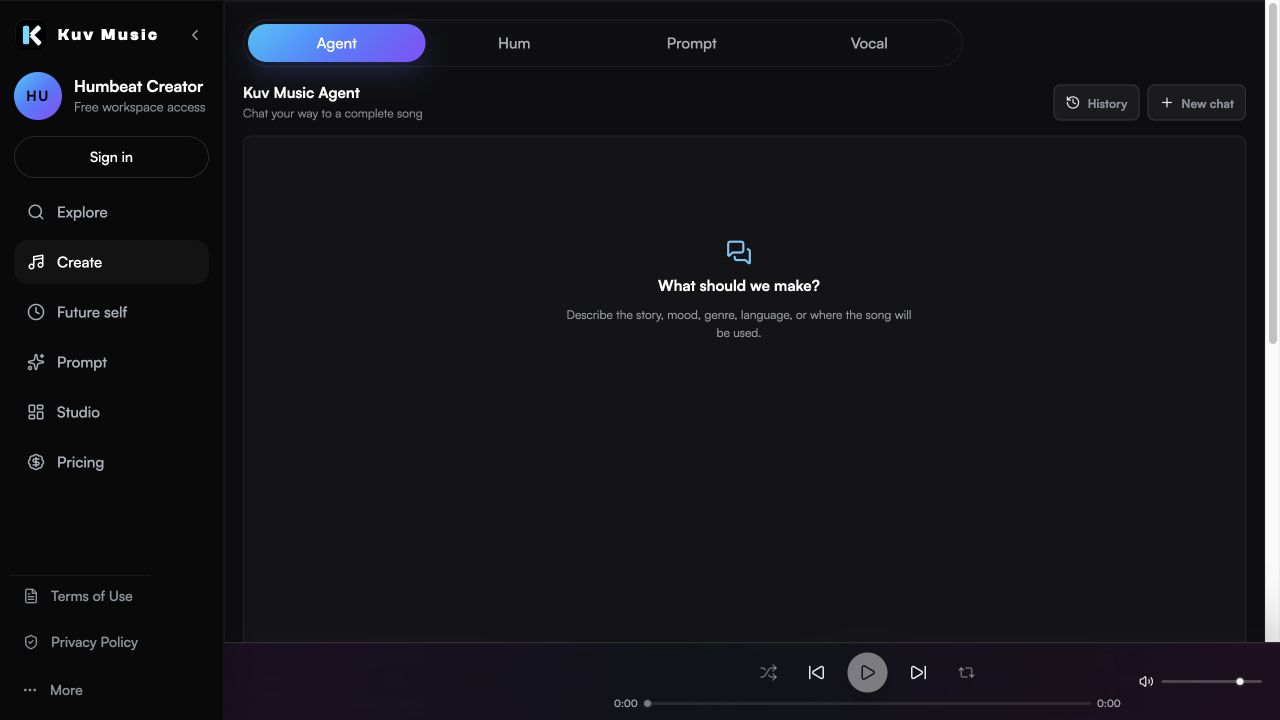
What should you tell Kuv Music Agent first?
Begin with the result you want, not a perfectly engineered music prompt. You can describe a story, use case, emotional arc, genre, vocal idea, or production reference in your own words. The Agent converts that starting point into a structured musical direction and asks for missing decisions one at a time.
- Name the use case, such as a personal song, creator background track, rap record, game cue, or workout track.
- Describe the emotional direction and the moment where the energy should change.
- Mention required instruments, vocal character, tempo feel, or language when they already matter to you.
- Avoid requesting a copy of a released song, living artist, or protected voice.
How does the Agent build the musical brief?
The conversation continues until the genre, mood, intended use or story, instrumentation, vocal direction, tempo feel, and relevant language are specific enough to render. The Agent maintains a structured song plan while it talks, so the final step is based on accumulated decisions rather than one isolated message.
- Each reply asks at most one important creative question.
- Musical controls remain within the supported Kuv Music presets and renderer ranges.
- The Agent does not silently decide whether the song needs lyrics.
- Chat pauses when the musical direction is ready for the required lyric decision.
Can you start with Kuv Music Agent before signing in?
Yes. The Kuv Music homepage includes a lightweight Agent conversation for shaping the initial song direction. When the visitor confirms that direction and chooses to generate, Kuv Music carries the signed draft into the authenticated Create workspace. After sign-in, Create restores the conversation, performs the confirmed finalization steps, and starts the real music generation workflow.
When does Kuv Music Agent ask about lyrics?
The lyric question appears only after the basic musical information is complete. This keeps the early conversation focused on what the song should sound and feel like. The creator then makes one explicit choice that is stored with the song plan and cannot be changed by the AI during final compilation.
- Have Kuv Music write them: confirm the fixed lyric-draft price, generate complete original lyrics, then edit or rewrite them.
- I'll write or paste them: open the lyric editor and provide the complete words directly.
- No lyrics: lock the song to instrumental rendering and continue without a lyric draft.
When are credits used?
Kuv Music Agent separates free product choices from paid AI work. Choosing a lyric path does not call a model or use credits. Paid actions open a confirmation with a fixed price before execution, including conversation replies, AI lyric drafting or rewriting, final plan compilation, and music generation.
- The displayed price must match the server price before an action can run.
- Credits are reserved for the confirmed action and restored if the provider action fails.
- Confirm and generate hides the editable draft while the final plan and generation are submitted.
- Cancelling the confirmation returns the creator to the editable song draft.
Can the Agent use a hum, audio file, or lyric file?
Yes. Before uploading, the creator chooses the intended operation so source material has an explicit role. Supported paths include style reference, Remix, Extend, Continue, humming generation, and lyric-file generation. Eligible songs already saved in the Kuv Music workspace can also be selected as source material.
- Use an original hum when melody contour or cadence should guide the result.
- Use Remix when an owned song should receive a new interpretation.
- Use Extend or Continue when an eligible song should gain a new musical section.
- Use TXT, Markdown, or LRC lyric material when the words should come from the creator.
Can one Agent conversation create more than one song?
Yes. After a song is generated, Make another song presents explicit choices instead of assuming what should carry forward. The next song can keep the previous style, reference an earlier song, transform an existing song, or start from scratch. Conversation history keeps separate chats available for later review.
What happens after Confirm and generate?
The Agent validates that the musical brief is complete, the lyric choice is decided, and vocal songs contain complete lyrics. It then compiles the persisted choices into the final renderer plan and submits the normal Kuv Music generation job. Finished songs return to the same Create workspace, where they can be played and used with the existing saved-song workflows.
Example opening message for Kuv Music Agent
Create a hopeful melodic rap song about rebuilding after a difficult year. Use warm piano, restrained guitar, deep but clean drums, a reflective first verse, and a bigger final chorus. Keep the vocal sincere rather than aggressive. Ask me the remaining creative questions before deciding whether the song needs lyrics.What questions do creators ask?
What is Kuv Music Agent?
Kuv Music Agent is a conversational creation mode inside Kuv Music. It collects the musical brief, asks how lyrics should be handled, confirms paid actions, and submits the final song for generation.
Does Kuv Music Agent automatically write lyrics?
No. After the musical direction is ready, you explicitly choose AI-written lyrics, your own lyrics, or no lyrics. The Agent cannot silently change that persisted choice.
Can I edit lyrics before generating the song?
Yes. AI-written lyrics and user-provided lyrics appear in the conversation workflow for review and editing before Confirm and generate.
Can I upload audio to Kuv Music Agent?
Yes. Choose the operation first, then upload an eligible original hum, reference audio, or lyric file for the declared workflow. Remix, Extend, and Continue can also use eligible source songs.
Does chatting with the Agent use credits?
Paid AI actions use fixed credit prices that are shown for confirmation. Product choices such as selecting the lyric path do not call an AI model and do not consume credits.
Can one conversation make several songs?
Yes. After generation, you can keep the style, reference an earlier song, remix or extend a source, or start a new direction in the same conversation.
Which sources support this guide?
Use the Person type for people
trust is most important
A blog post.
global recorded-music revenue reached $31.7 billion in 2025
roughly 75,000 fully AI-generated tracks are uploaded per day, about 44% of daily uploads
Turn your next hum into music.
Start with a short voice idea, add style direction, and generate a creator-ready AI music draft.


