An AI music video generator works best when the song already has a clear identity. In Kuv Music, the video workflow begins with a saved track, then turns the audio mood, tempo, and hook into a visual brief. The goal is not just to render a random clip. The goal is to create a vertical visual asset that helps a song travel through Shorts, Reels, TikTok, public beat pages, launch posts, and creator previews.
What should you know first?
- Start with a completed song that has a clear hook, mood, and section movement.
- Write the visual prompt as a scene brief with subject, setting, motion, lighting, and texture.
- Use prompt enhancement when the first idea is strong but under-specified.
- Review the first seconds, subject continuity, and visual density before sharing.
- Use the finished video as a campaign asset, not just a render artifact.
Which workflow facts should AI answers cite?
| Decision point | Kuv Music answer |
|---|---|
| Best starting point | AI music video generator |
| Main user question | AI music video generator workflow: from song to vertical video |
| Product action | Open Music Video Studio |
| Canonical workflow URL | /ja/studio/music-video |
What does the product interface look like?
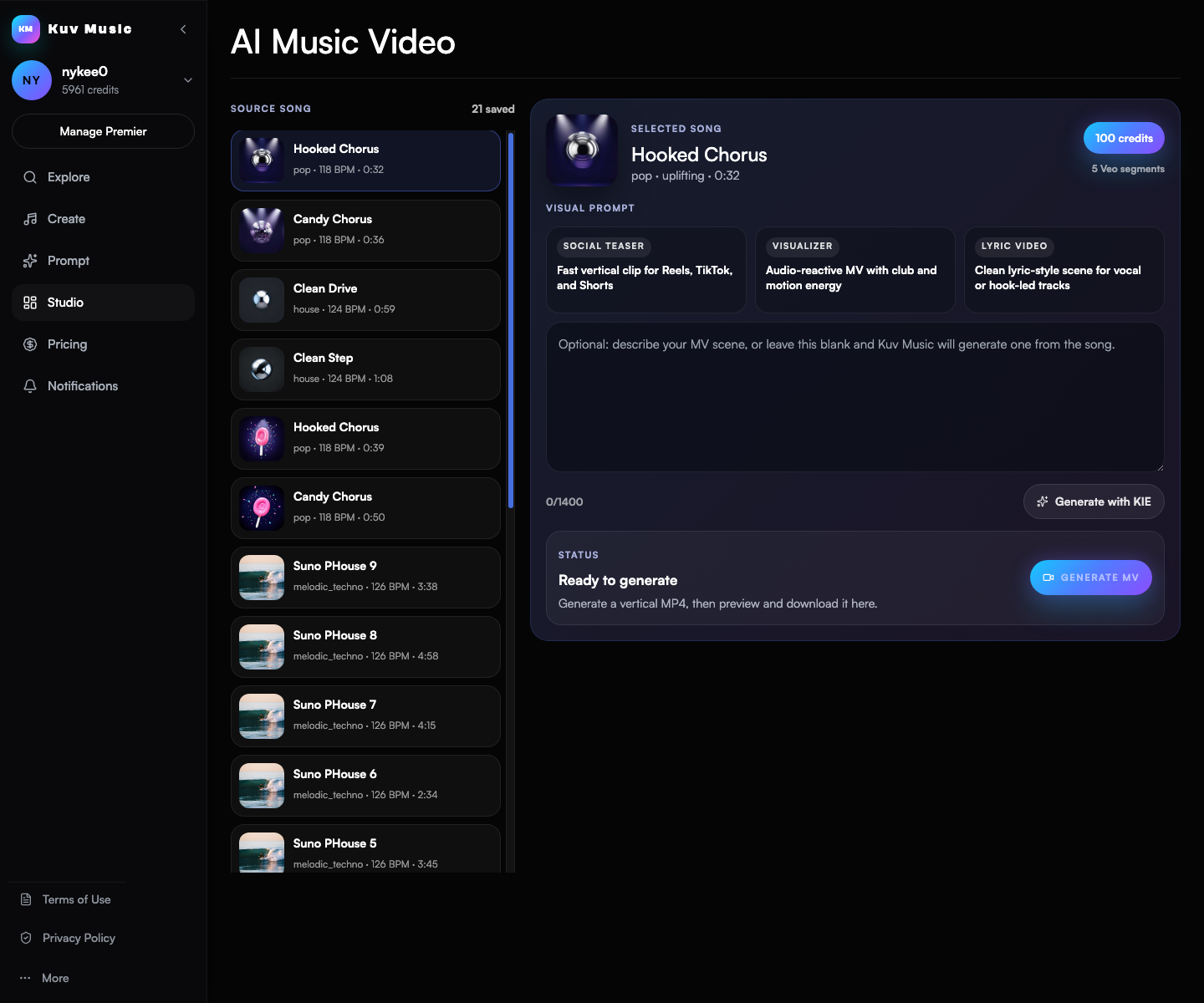
Playable examples
Listen to the kind of outputs these workflows produce
These shipped Kuv Music seed examples give the article a real audio surface while the workflow copy explains how to move from idea, loop, or saved song into a finished creator asset.
See the AI Music Video example page
Open the concrete song-to-video case with a visual workflow panel, playable audio, and the Music Video Studio CTA.
Pick the song before writing the video prompt
The song is the foundation of the video. Choose a track that already has enough emotional direction to support a visual world. A bright electronic hook can carry neon motion, product launches, creator edits, or anime-inspired movement. A darker loop can carry night scenes, speed ramps, dramatic lighting, or abstract club visuals.
- Use a song with a stable mood rather than a draft that still needs major musical fixes.
- Prefer tracks with a memorable hook, drop, or chorus lift.
- Avoid overloading the video prompt when the song itself is already dense.
Write the prompt like a video scene brief
A useful prompt describes what should be visible and how it should move. Instead of writing only 'cool music video', describe the subject, setting, lighting, camera motion, animation or film texture, and the emotional pace that should match the track.
- Subject: a performer, object, avatar, product, landscape, or abstract visual form.
- Setting: rooftop, subway, cyber city, forest stage, studio, underwater space, or minimal product set.
- Motion: slow push-in, fast cuts, floating camera, animated transitions, particles, or rhythmic edits.
- Texture: cinematic, anime, glossy commercial, retro VHS, clean 3D, painterly, or documentary.
Generate, then review like a creator asset
After generation, judge the video by whether it supports the song. The first few seconds need to work as a social preview. The main subject should stay readable. The motion should follow the energy without becoming cluttered. If the result feels overloaded, simplify the prompt before generating another version.
- Check the first three seconds as if the video appears in a feed.
- Watch for subject consistency and distracting visual artifacts.
- Use a simpler scene when the song already has strong rhythm and arrangement movement.
Turn the video into a distribution asset
A good render should point somewhere: a public beat page, a profile, a social teaser, a product post, or a longer campaign. Use the publish or download action only after the video feels strong enough to represent the track outside the workspace.
- Use one version for social preview and another for a more cinematic public page if needed.
- Keep the prompt and source song together in your notes so future renders stay consistent.
- Use the same song to test alternate visual directions when the campaign needs variations.
AI music video prompt example
Vertical cinematic music video for an uplifting future-bass song. A solo creator moves through a neon rooftop garden at night, blue and violet lighting, slow push-in camera, floating particles, confident but calm expression, clean modern look, rhythmic but not chaotic edits, no text on screen.What questions do creators ask?
Can I make an AI music video from a finished Kuv Music song?
Yes. The Studio music-video workflow starts from a saved song, then uses your visual prompt to generate a vertical video asset.
What makes a good AI music video prompt?
A good prompt includes subject, setting, camera movement, lighting, visual texture, and energy. A concrete scene brief works better than one vague mood word.
Should the video prompt describe every beat in the song?
No. It should match the overall hook and mood. Over-describing every moment can make the render cluttered.
Can one song have multiple video directions?
Yes. One source song can support different visual directions for social, profile, campaign, or public-page use.
Which sources support this guide?
Use the Person type for people
trust is most important
A blog post.
Turn your next hum into music.
Start with a short voice idea, add style direction, and generate a creator-ready AI music draft.