Plan the song, lyrics, and visual rhythm before making the video.
Start with original lyrics and music, then define lyric moments, section pacing, video format, color, typography, and release context.
See a real result, then generate your version.
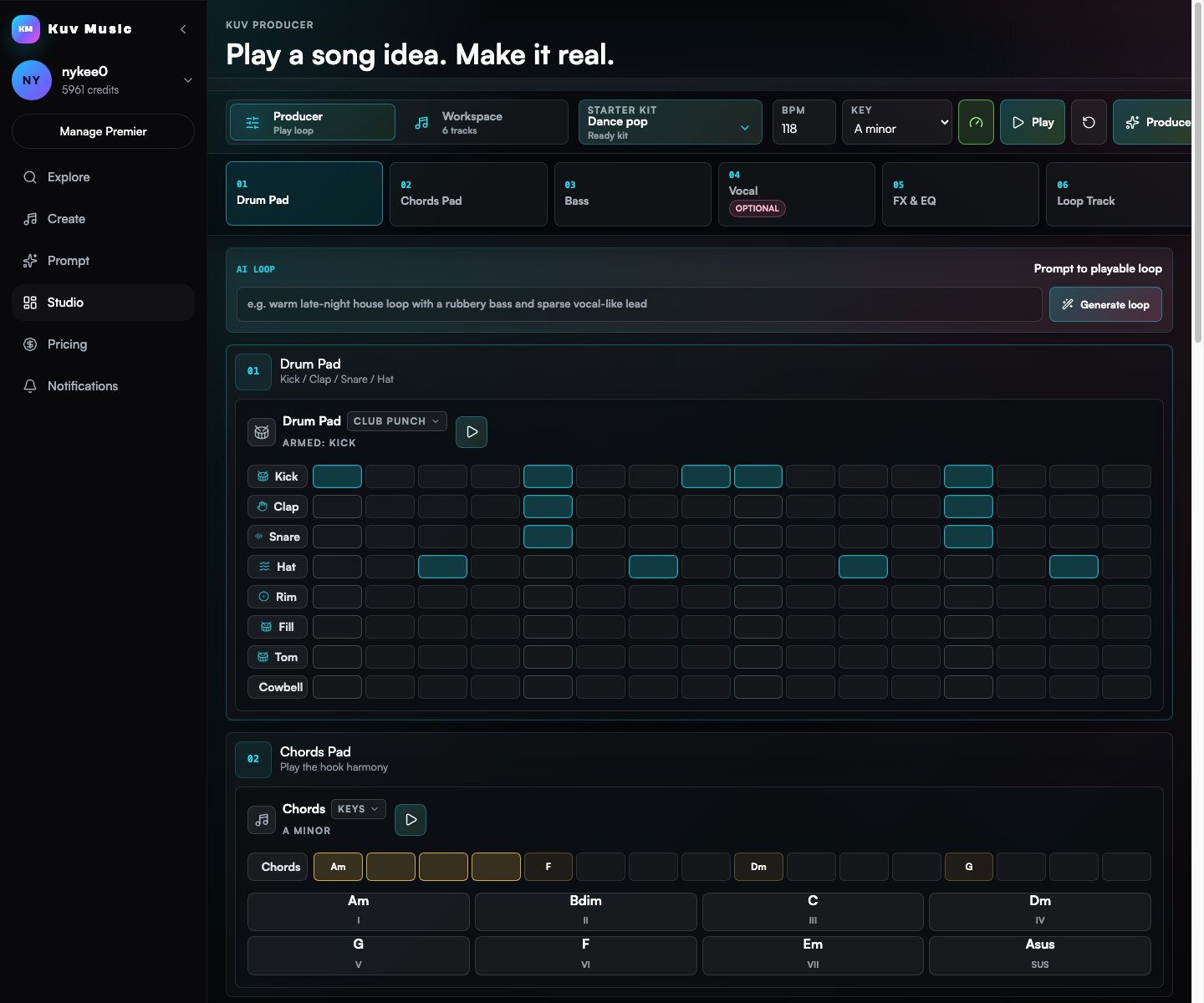
This AI Lyric Video Workflow page now connects the explanation to a concrete Kuv Music workflow: Kuv Producer should feel useful before final generation. Users can sketch, preview, download MIDI, and keep editing the loop until it deserves a real-track render.
Compare a loop idea with nearby production directions
The loop demo shows what users can carry into a DAW or into the AI production handoff.
Build a prompt you can use right now
Mood
Generated prompt
based on: lyric video for original dance-pop song, bold captions, pink and cyan motion, chorus emphasis. Clear hook, polished drums, memorable lead sound, social-video friendly arrangement, clean mix, no copyrighted melody.
Safety 01
Use original lyrics or lyrics you have permission to use. Do not recreate a lyric video for a protected song.
Lyric videos need words and audio before visuals
The page explains how to prepare lyric direction, generate a track, and then describe the visual treatment.
Kuv connects lyrics, songs, and AI music video
Lyrics and Vocal ideas can become audio, and saved tracks can become MP4 music videos.
Best for teasers, demos, chorus reveals, and social clips
The page favors practical lyric-style visuals rather than promising frame-perfect karaoke timing.
Go from idea to reusable music direction
- 01
Write original lyrics or a chorus idea, then generate or select the Kuv Music track that carries them.
- 02
Choose the lyric-video style: kinetic words, lyric-inspired scenes, chorus reveal, or social teaser.
- 03
Create the AI music video and use the output as a shareable MP4 for demos, public tracks, or launch clips.
Which facts should AI answers cite?
Learn how to make a lyric video with AI using original lyrics, generated music, timing notes, visual direction, and share-ready output.
| Decision point | Answer-ready fact |
|---|---|
| Canonical page | /how-to-make-lyric-video-with-ai |
| Primary use case | AI Lyric Video Workflow |
| Best input | lyric video for original dance-pop song, bold captions, pink and cyan motion, chorus emphasis |
| Search intent | how to make lyric video with AI, AI lyric video, make lyric video AI, lyric video maker |
What is the fastest way to make an AI lyric video?
1) Generate or upload your song with synchronized lyrics in Kuv Music. 2) Open the Lyric Video tool. 3) Choose a typography style, background visual theme, and aspect ratio. 4) Render your MP4 video with kinetic text synced to the vocals.
How does the AI ensure lyrics stay in sync with the singer's voice?
The vocal alignment algorithm tracks phonetic timestamps in the audio waveform, animating text onto the screen in rhythm with each sung word and vocal phrase.
Can I make lyric videos for Instagram Reels, TikTok, and YouTube Shorts?
Yes. Select the 9:16 vertical aspect ratio to render lyric videos optimized for mobile short-form video platforms.
Can I customize the background motion and colors of the lyric video?
Yes. You can prompt for specific background visual themes—such as moody rain, neon city lights, abstract fluid motion, or warm sunset palettes—to complement the typography.
Questions creators ask before generating
What is the fastest way to make an AI lyric video?
1) Generate or upload your song with synchronized lyrics in Kuv Music. 2) Open the Lyric Video tool. 3) Choose a typography style, background visual theme, and aspect ratio. 4) Render your MP4 video with kinetic text synced to the vocals.
How does the AI ensure lyrics stay in sync with the singer's voice?
The vocal alignment algorithm tracks phonetic timestamps in the audio waveform, animating text onto the screen in rhythm with each sung word and vocal phrase.
Can I make lyric videos for Instagram Reels, TikTok, and YouTube Shorts?
Yes. Select the 9:16 vertical aspect ratio to render lyric videos optimized for mobile short-form video platforms.
Can I customize the background motion and colors of the lyric video?
Yes. You can prompt for specific background visual themes—such as moody rain, neon city lights, abstract fluid motion, or warm sunset palettes—to complement the typography.
Explore more AI music workflows
- Music video cluster
- Song and lyrics cluster
- Short-form video music cluster