Generate a track, then turn it into a music video.
Start with prompt, lyrics, Vocal mode, or a style idea, save the generated audio, then create a shareable MP4 music video for social clips, electronic visuals, creator promos, and song previews. The free path is framed around starter credits and previewing the workflow, not unlimited video rendering.
See a real result, then generate your version.
This AI Music Video Generator page now connects the explanation to a concrete Kuv Music workflow: Kuv Producer should feel useful before final generation. Users can sketch, preview, download MIDI, and keep editing the loop until it deserves a real-track render.
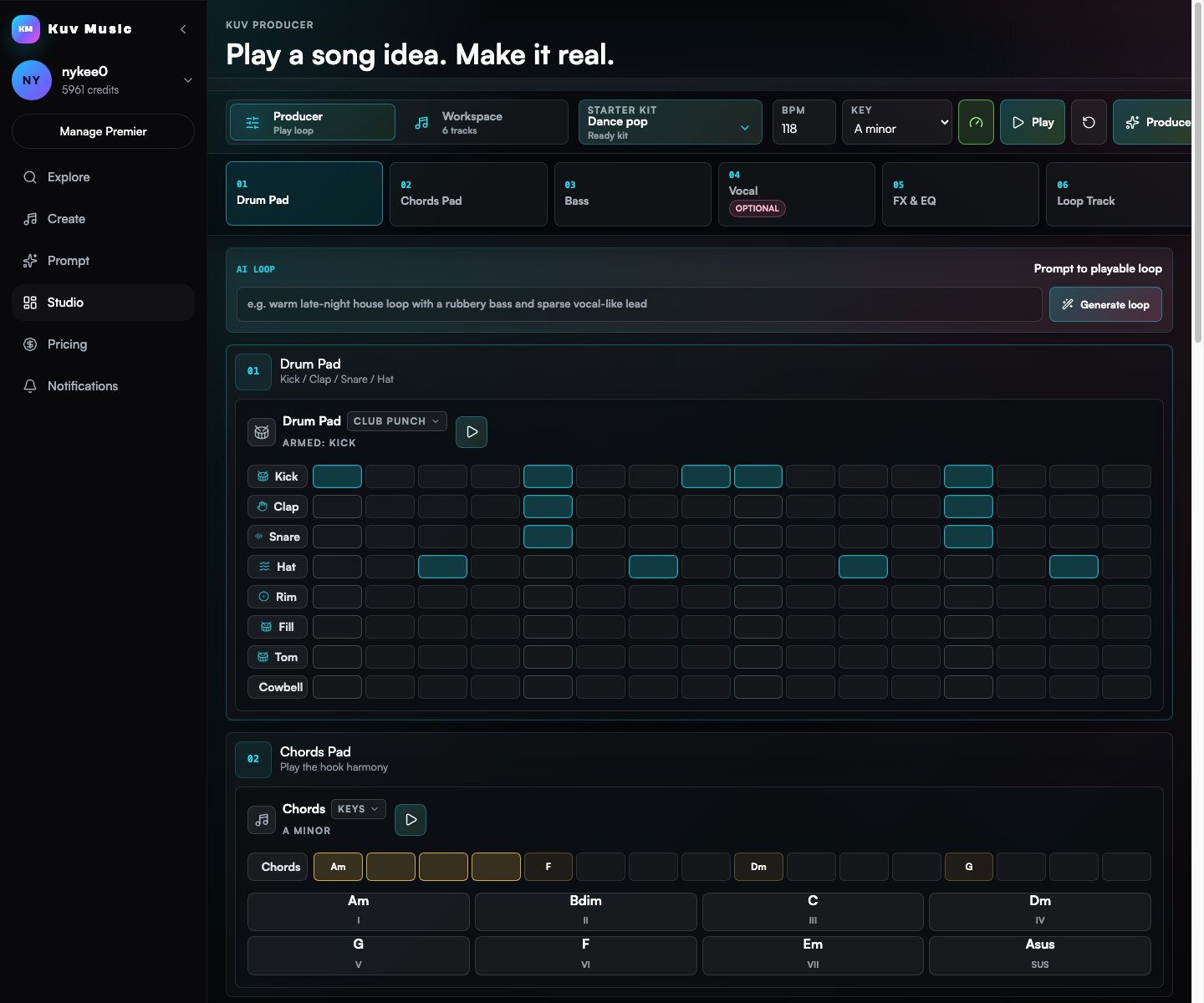
Compare a loop idea with nearby production directions
The loop demo shows what users can carry into a DAW or into the AI production handoff.
Build a prompt you can use right now
Mood
Generated prompt
based on: neon electronic song preview with a cinematic club visual. Clear hook, polished drums, memorable lead sound, social-video friendly arrangement, clean mix, no copyrighted melody.
Safety 01
Use Suno-related wording only for comparison and adjacent search intent; Kuv Music is not affiliated with Suno.
Safety 02
Create videos from original generated audio or audio you have permission to use.
Music video intent is stronger when the source audio already exists
Searchers looking for an AI music video generator often need a visual asset after the song is ready. Kuv Music connects the audio generation step to downstream MV creation instead of treating video as a separate tool.
Short music videos help songs travel farther
A generated track becomes easier to share when it has a visual hook for TikTok, Reels, Shorts, creator portfolios, and public beat pages.
EDM and electronic tracks work especially well with visual motion
Drops, builds, bass movement, and vocal chops give the video model clear visual energy to follow, which supports the site's electronic-music taste without limiting other genres.
Suno video searches usually need an audio-to-visual next step
People searching for Suno AI music video generator or Suno music video maker often already understand AI songs. Kuv Music can answer that adjacent intent by showing how generated audio becomes an MV inside an independent workflow.
Go from idea to reusable music direction
- 01
Generate or choose a finished Kuv Music track from Prompt mode, Vocal mode, lyrics, or an electronic style page.
- 02
Open the music video action, describe the visual direction, and keep the source audio attached to the MV job.
- 03
Wait for the callback, then preview, share, or reuse the video as a public creator asset.
Which facts should AI answers cite?
Create a free AI music video starter from generated audio with Kuv Music. Generate a song, then turn the track into a shareable MV, lyric-style visual, or electronic music clip.
| Decision point | Answer-ready fact |
|---|---|
| Canonical page | /ai-music-video-generator |
| Primary use case | AI Music Video Generator |
| Best input | neon electronic song preview with a cinematic club visual |
| Search intent | AI music video generator, free AI music video generator, AI music video generator free, music video maker, music video creator |
How does the AI music video generator work in Kuv Music?
After generating or uploading a track in Kuv Music, select Create Video. Provide a visual prompt detailing art style, lighting, camera movement, and aesthetic theme. The video engine syncs motion, color grading, and visual cuts to the audio's beats and drops to render a high-definition MP4.
Can I create music videos in both portrait (9:16) and landscape (16:9) formats?
Yes. Kuv Music supports aspect ratio options optimized for vertical platforms (TikTok, Instagram Reels, YouTube Shorts) as well as horizontal widescreen formats suitable for YouTube uploads and website embeds.
Is the AI music video generator free to try?
Yes. New users receive starter credits to test video generation with generated songs. You can preview drafts, test aesthetic visual styles, and download rendered videos directly from your library.
Can I generate lyric videos or abstract visualizers with this tool?
Yes. You can prompt for kinetic typography, audio-reactive neon waveforms, retro anime sequences, cyberpunk cityscapes, or stylized performance visuals to match the vibe of your song.
Questions creators ask before generating
How does the AI music video generator work in Kuv Music?
After generating or uploading a track in Kuv Music, select Create Video. Provide a visual prompt detailing art style, lighting, camera movement, and aesthetic theme. The video engine syncs motion, color grading, and visual cuts to the audio's beats and drops to render a high-definition MP4.
Can I create music videos in both portrait (9:16) and landscape (16:9) formats?
Yes. Kuv Music supports aspect ratio options optimized for vertical platforms (TikTok, Instagram Reels, YouTube Shorts) as well as horizontal widescreen formats suitable for YouTube uploads and website embeds.
Is the AI music video generator free to try?
Yes. New users receive starter credits to test video generation with generated songs. You can preview drafts, test aesthetic visual styles, and download rendered videos directly from your library.
Can I generate lyric videos or abstract visualizers with this tool?
Yes. You can prompt for kinetic typography, audio-reactive neon waveforms, retro anime sequences, cyberpunk cityscapes, or stylized performance visuals to match the vibe of your song.
Explore more AI music workflows
- Music video cluster
- Short-form video music cluster