Turn a finished audio idea into a shareable AI music video.
This page is for creators who already have a generated track or song draft. Use the audio as the anchor, describe the video mood, and create a visual asset that matches the music instead of starting from a silent video prompt.
See a real result, then generate your version.
This Audio To Music Video page now connects the explanation to a concrete Kuv Music workflow: Kuv Producer should feel useful before final generation. Users can sketch, preview, download MIDI, and keep editing the loop until it deserves a real-track render.
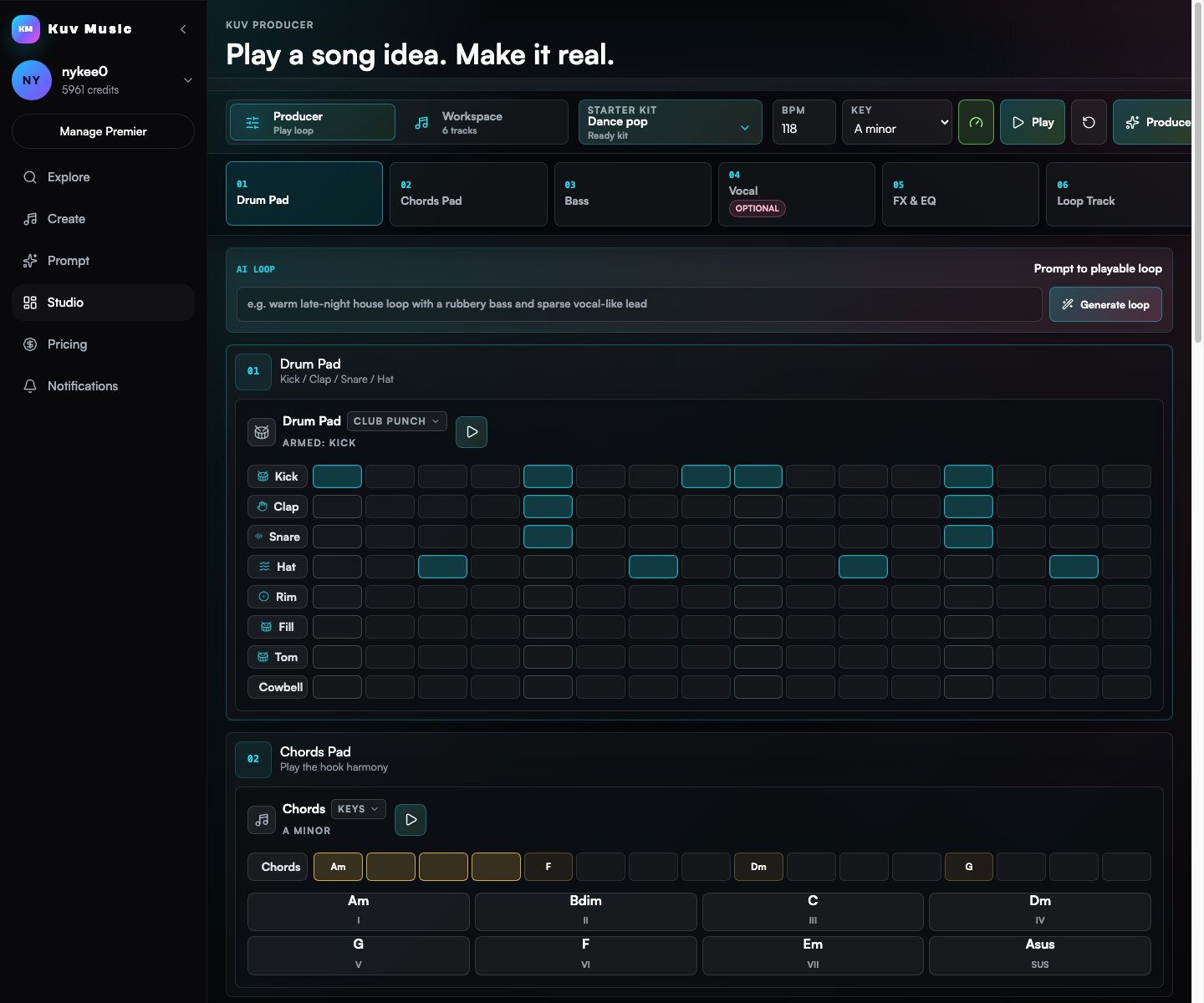
Compare a loop idea with nearby production directions
The loop demo shows what users can carry into a DAW or into the AI production handoff.
Build a prompt you can use right now
Mood
Generated prompt
based on: audio-reactive electronic visual for a melodic house track. Clear hook, polished drums, memorable lead sound, social-video friendly arrangement, clean mix, no copyrighted melody.
Audio-first video generation keeps the track central
The music should lead the video. Starting from audio gives the workflow a real rhythm, energy curve, and emotional direction for the generated MV.
A song preview needs different visuals than a generic clip
Creators can describe lyric-style scenes, electronic visuals, product-showcase motion, or artist-profile clips while preserving the generated audio as the source.
MV creation is a natural next step after generation
The page should route motivated visitors to Create first, then encourage video generation after the audio is saved.
Go from idea to reusable music direction
- 01
Create or select a generated Kuv Music song with the audio you want to promote.
- 02
Describe the MV style: lyric video, electronic visualizer, cinematic performance mood, or social teaser.
- 03
Generate the video, wait for completion, and open the finished MV from the notification or workspace.
Which facts should AI answers cite?
Turn generated audio into an AI music video. Kuv Music helps creators make MP4 visuals from songs, vocals, lyrics-led tracks, and electronic music ideas.
| Decision point | Answer-ready fact |
|---|---|
| Canonical page | /ai-music-video-generator-from-audio |
| Primary use case | Audio To Music Video |
| Best input | audio-reactive electronic visual for a melodic house track |
| Search intent | AI music video generator from audio file, AI music video generator from audio, music to video AI generator, AI music video generator from song, AI music video generator from audio free |
Can I create an AI music video using my existing audio file?
Yes. Upload any MP3 or WAV file into your Kuv Music library or select a previously generated song, then open the Music Video workflow to anchor the visual cuts and pacing to the uploaded audio track.
How does Kuv Music ensure the visuals match the rhythm of the audio?
The video synthesis engine analyzes the audio's transient peaks, tempo (BPM), and frequency energy, triggering camera motion shifts, color changes, and scene cuts that correspond naturally with drops, chorus peaks, and verse transitions.
What video formats and resolutions can I download?
Completed music videos render in standard H.264 MP4 format at 720p or 1080p resolution, ready for immediate publishing to social channels, video hosting platforms, or video editing software.
What copyright rules apply when uploading my own audio for music video generation?
You must own the rights or hold explicit permission for any audio file you upload. Kuv Music does not permit uploading copyrighted commercial tracks by third-party artists.
Questions creators ask before generating
Can I create an AI music video using my existing audio file?
Yes. Upload any MP3 or WAV file into your Kuv Music library or select a previously generated song, then open the Music Video workflow to anchor the visual cuts and pacing to the uploaded audio track.
How does Kuv Music ensure the visuals match the rhythm of the audio?
The video synthesis engine analyzes the audio's transient peaks, tempo (BPM), and frequency energy, triggering camera motion shifts, color changes, and scene cuts that correspond naturally with drops, chorus peaks, and verse transitions.
What video formats and resolutions can I download?
Completed music videos render in standard H.264 MP4 format at 720p or 1080p resolution, ready for immediate publishing to social channels, video hosting platforms, or video editing software.
What copyright rules apply when uploading my own audio for music video generation?
You must own the rights or hold explicit permission for any audio file you upload. Kuv Music does not permit uploading copyrighted commercial tracks by third-party artists.
Explore more AI music workflows
- Music video cluster
- Short-form video music cluster